.png?width=128&height=72&name=Hema%20Maps%20Logo%20(1).png)
1. Exiting Android Auto/Apple Car Play
2. Unable to search or navigate in Hema Nav
Exiting Android Auto/Apple Car Play
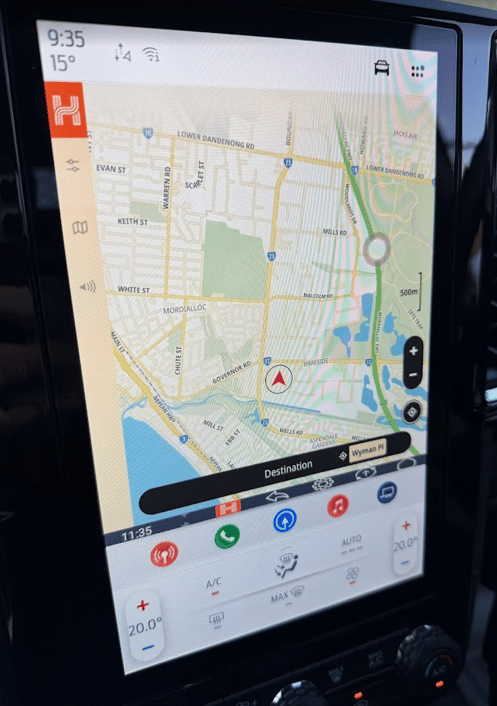
When your phone is connected to the HX-BOX for Android Auto/Car Play via the Phone app, you may not be easily able to access the HX-BOX navigation menu due the lower border of the area designated for Car Play being extended screen for the Ford climate controls.
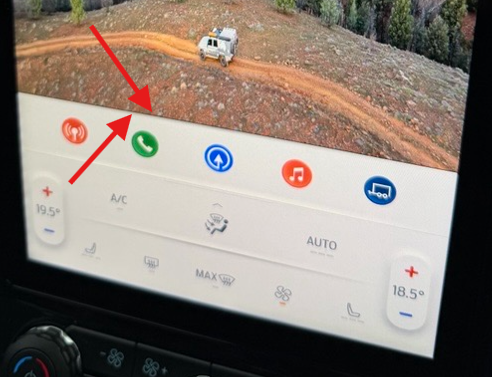
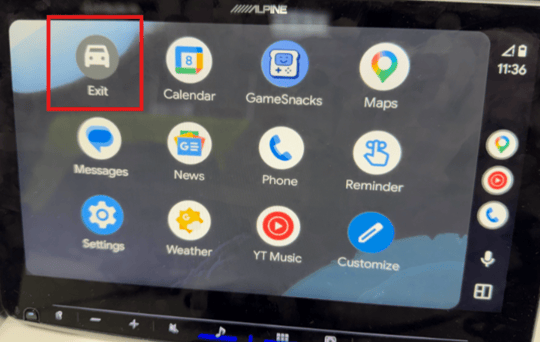
When Android Auto is running on the head unit via the HX-BOX Phone app, you can easily exit back to the HX-BOX Home screen by tapping Exit from the Android Auto apps screen:
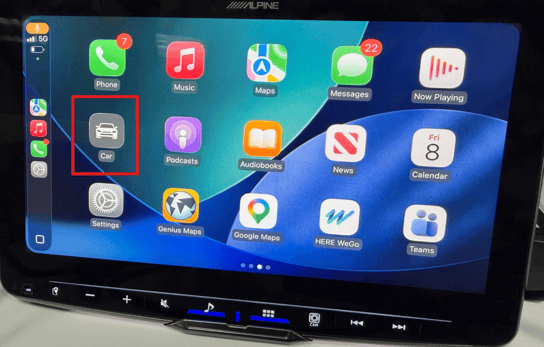
If running Apple Car Play on the head unit via the HX-BOX Phone app, you can easily exit back to the HX-BOX Home screen by tapping Exit from the Car Play apps screen:
Unable to search or navigate in Hema Nav
To allow Hema Nav to display on the SYNC 4 vertical/portrait Ford Ranger or Everest head unit, please try the following:
1. Connect the HX-BOX to your head unit and wait for it to boot up.
2. Tap on Settings > System > More
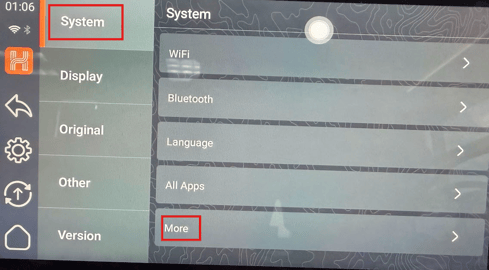
3. Tap on Display > Display Size and Text
4. Change the Display Size to at least the middle or fourth zoom option as below:
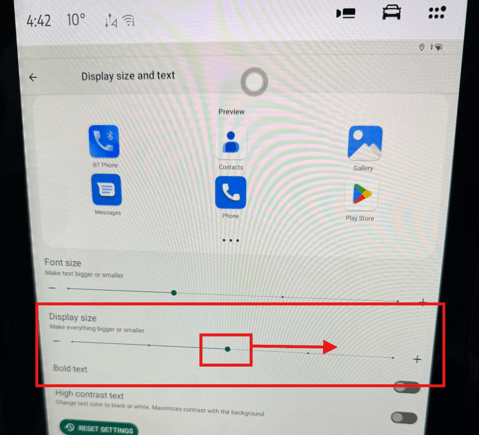
3. Tap the top left back arrow twice to go back to the Settings screen
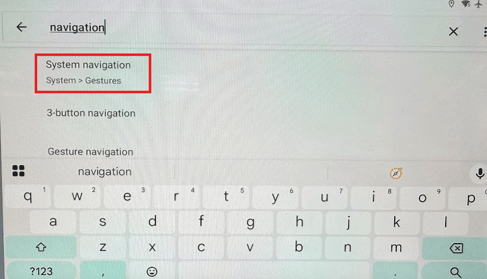
4. In the Settings area, type Navigation into the search area, then tap on System Navigation, and again System Navigation
5. Change the setting on this page from 3 Button Navigation to Gesture Navigation:
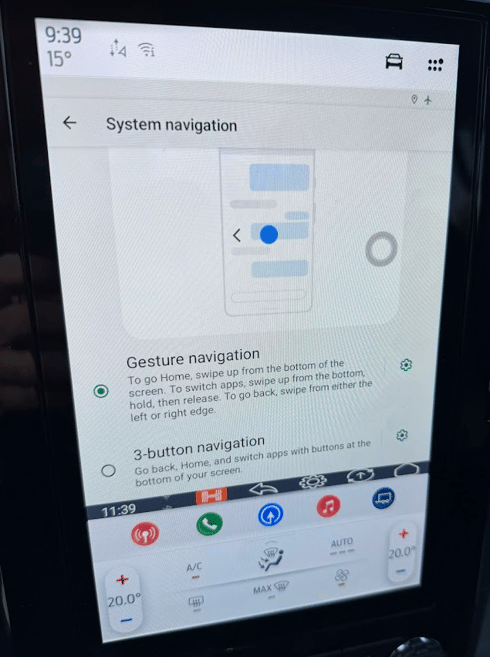
6. You should now see the lower navigation bar shrink to a smaller vertical size
7. Back out to the Home screen and open Hema > Hema Nav
This will reduce the size of the navigation menu and allow easier access to the Destination button in Hema Nav: